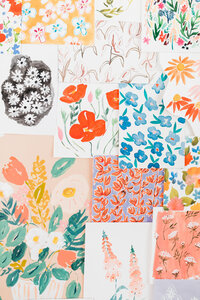



Today I’m sharing my absolutely essential tools I use as a surface designer and licensing artist.
What is surface design?
As a surface designer, I create artwork for a variety of product types. This includes stationery, fabric, accessories, home decor, gift wrap, pet items and so much more.
I create my art by painting it in watercolor first, and then scanning the elements to refine and rearrange using design software. I also often create digital art directly on my tablet. The medium you use will depend on your own process and style!
I then license that artwork to manufacturers who create the products, and I receive a percentage of all sales. If you want to learn more about licensing, download my FREE guide Top 10 Tips to License Your Art.
Note that the links below are affiliate links. This means that at no extra cost to you, I may receive a percentage of any purchases.
1. Epson Perfection V39 Scanner
Since I usually create my artwork the analog way – paint on paper – it’s essential for me to scan my designs as high quality. I use the Epson Perfection V39 Scanner.
I always scan my artwork at 600dpi in case I need to enlarge the image. The standard industry minimum is 300dpi. Need more guidance? Read my post on The Basic Steps to Digitizing Your Art here.
2. Adobe Create Suite
I primarily use Adobe Photoshop to then rearrange the painted elements, either into a repeating pattern or a finished product type like a greeting card.
There is a common misconception that licensing artists must use Adobe Illustrator because the art must be vector when delivering to clients. You may choose to of course, but if you tend to paint your artwork I suggest Photoshop to retain the original feel. I have no issue with the many clients I have worked with when I deliver my files in Photoshop. But remember to always ask what they need!
3. Procreate App
I love using the Procreate App on my iPad to create digital art. The files can then be exported to use inside Adobe programs. I typically export my digital drawings/paintings as PSDs (Photoshop files) and do some finessing on the computer inside Photoshop.
It’s amazing to be able to draw from wherever, or while watching your favorite show!
4. Dropbox + External Hard Drives
It’s important to back up your work so that you don’t lose your files. I have been using Dropbox for years.
One of my favorite features is that if you accidentally save over something, you can revert a file to a version from before. It’s come in handy for me few times!
I like to save my files in two places just in case – both inside Dropbox and on an external drive like the Western Digital My Passport for Mac.
5. Rechargeable Batteries
I have saved over the years by using rechargeable batteries for my wireless keyboard. It sounds so simple, but it really makes a difference to have these on hand! It’s especially useful so that you know you always have some ready to go, rather than needing to go to the store to buy more. And of course the batteries always want to go out when you’re trying to finish a project…
I have a pack of four, and always have two charging and the other two in my keyboard.
Visit my Amazon page to shop more of my favorites and essentials.
I hope this list has helped you get started. You really don’t need a ton of fancy tools to be a surface designer, so don’t let the tech intimidate you and have fun!







+ show Comments
- Hide Comments
add a comment